BMWOEM CarPlay
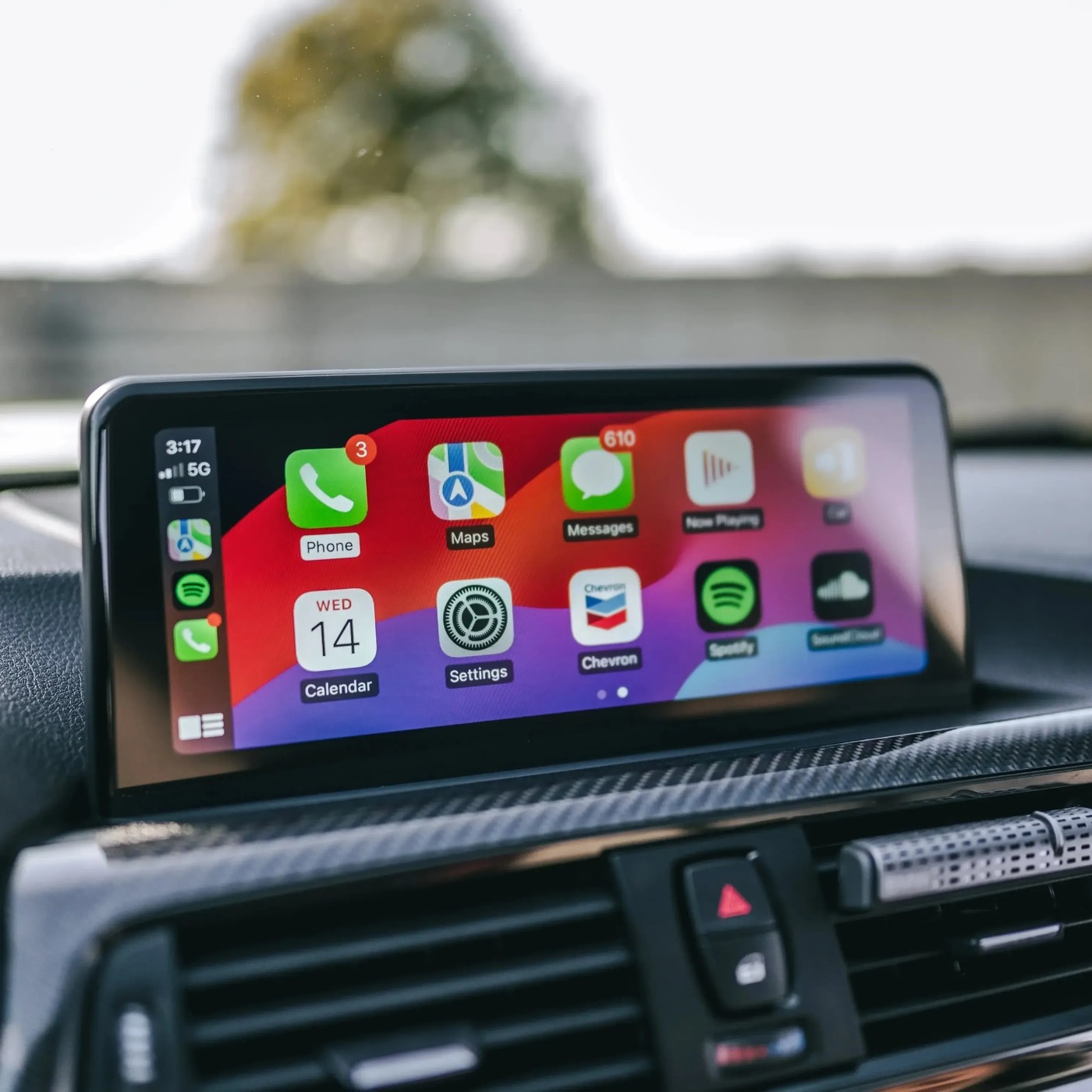
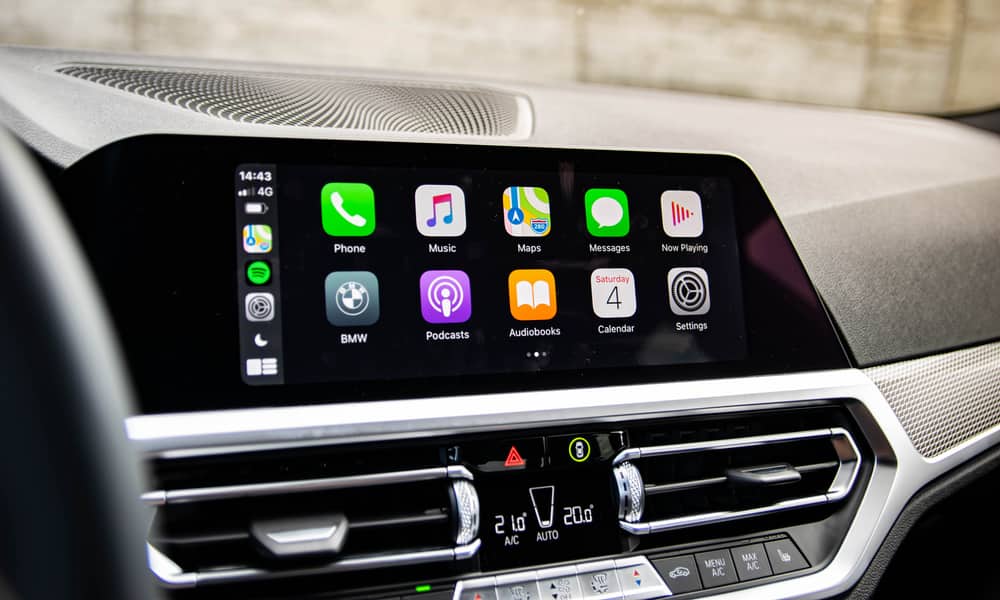
BMW & MINI Apple CarPlay activation
This NBT EVO activation service is for compatible BMW and MINI vehicles equipped with iDrive 5 or 6. Vehicles built from July 2016 onward with option 609 Navigation System Professional are candidates; the installed head unit and software must still be checked.
Check your head unit
- NBT: Not compatible with this factory CarPlay activation service.
- NBT EVO ID5 / ID6: Supported for activation on compatible equipment and software.
- Version check: Look for EVO navigation maps and an NBTevo software version of H or later.
Send your VIN and photos of the iDrive menu and version-information screen before booking. The menu appearance alone does not confirm compatibility.
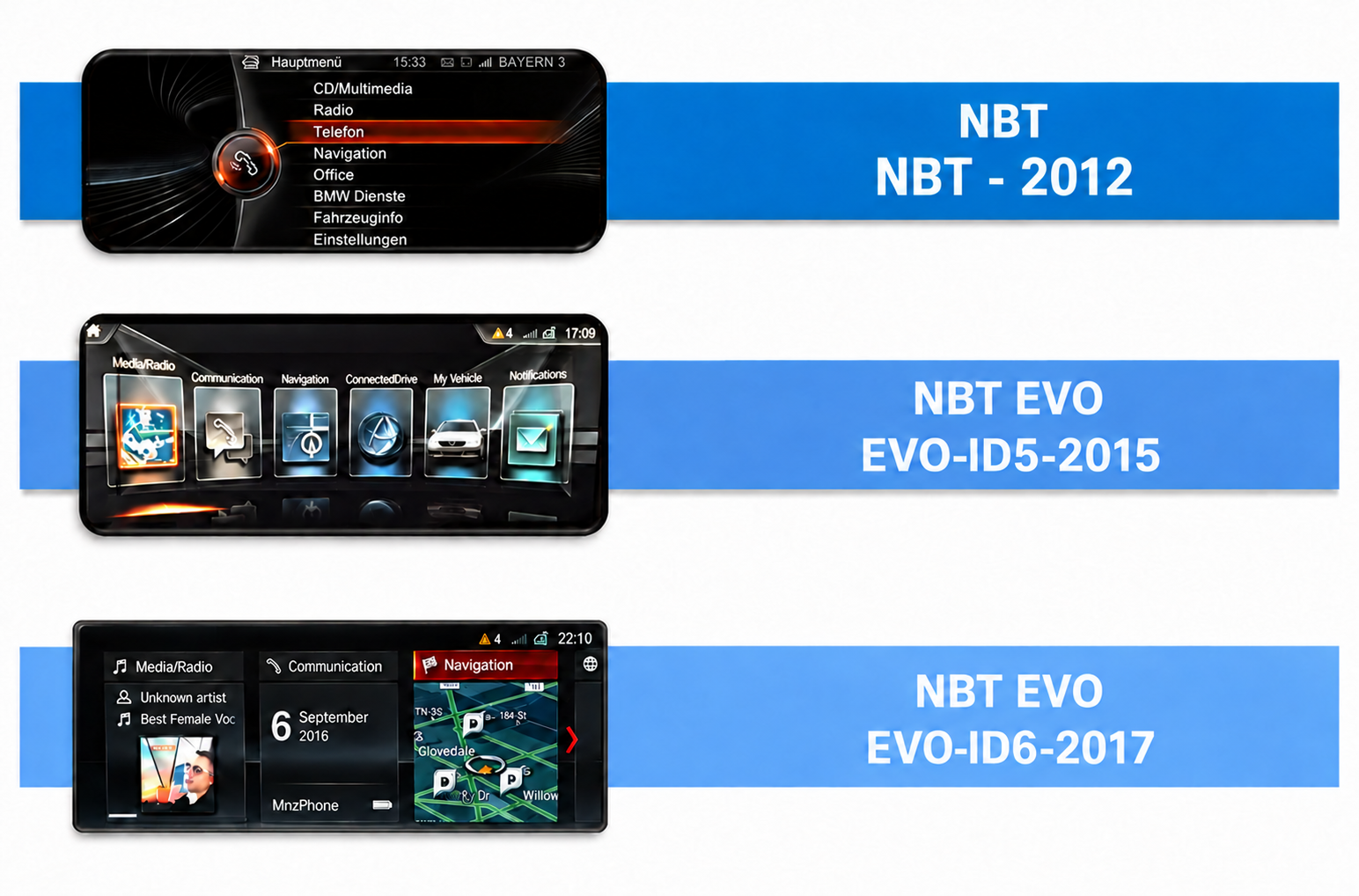
NBT headunit check
How to see what iDrive version you have.
Not sure which head unit you have? Watch our YouTube guide and have a clear photo of your iDrive screen ready for your compatibility inquiry.
Apple CarPlay activation
Check Compatibility- Activation price
- $150 USD
- Appointment length
- 30 minutes to an hour
- Service options
- Local or remote
Activate CarPlay on your compatible factory head unit, locally or remotely. Your installed NBTevo software determines split-screen or full-screen support.
Software updates are not offered. Wi-Fi antennas and installation are extra; see pricing below.
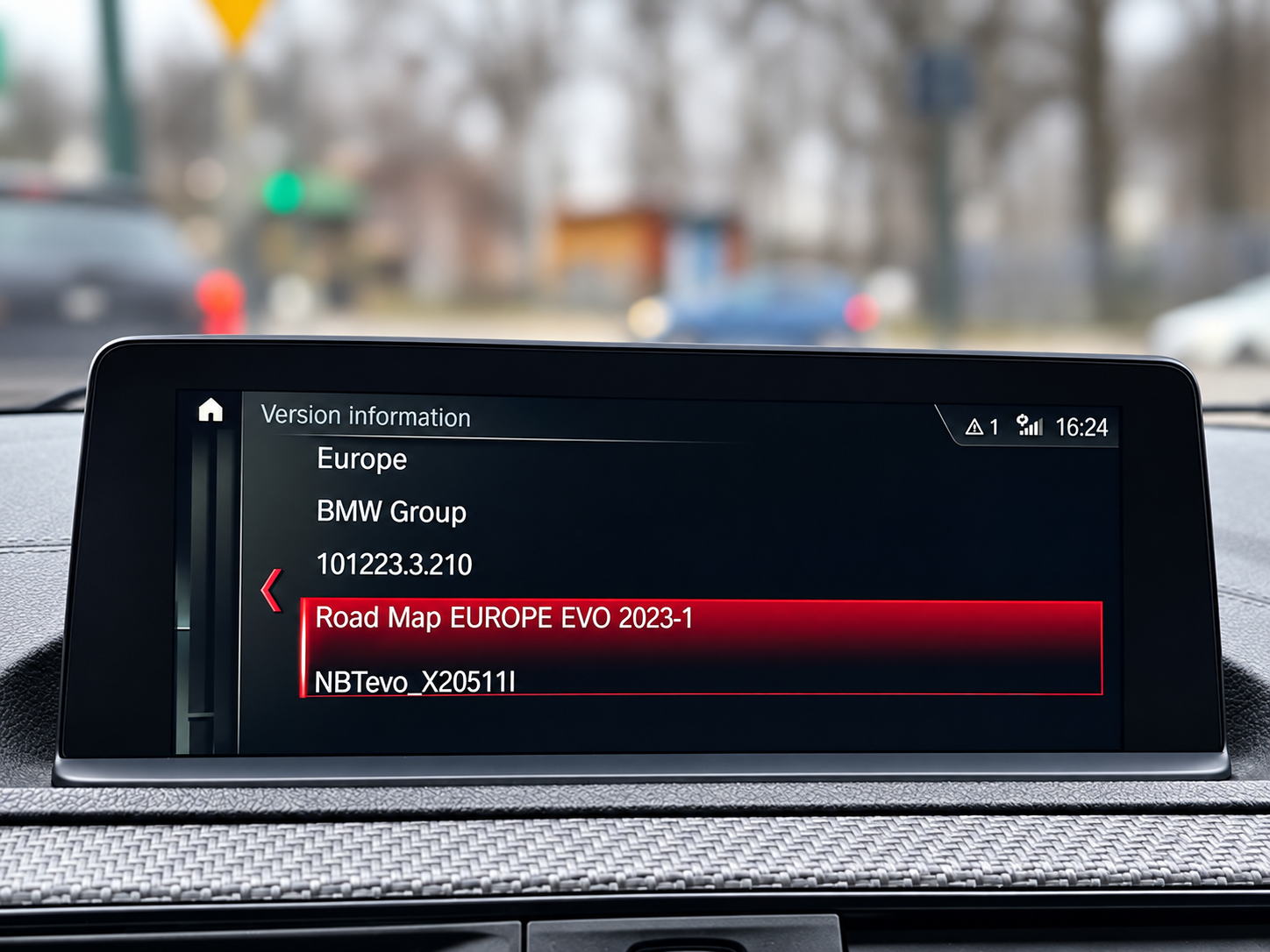
Attach your photo before sending. Include the same name and vehicle details used in your contact request.
Split-screen or full-screen?
Your installed NBTevo software determines whether activation provides split-screen or full-screen CarPlay. Use the table to check which display modes your current version supports.
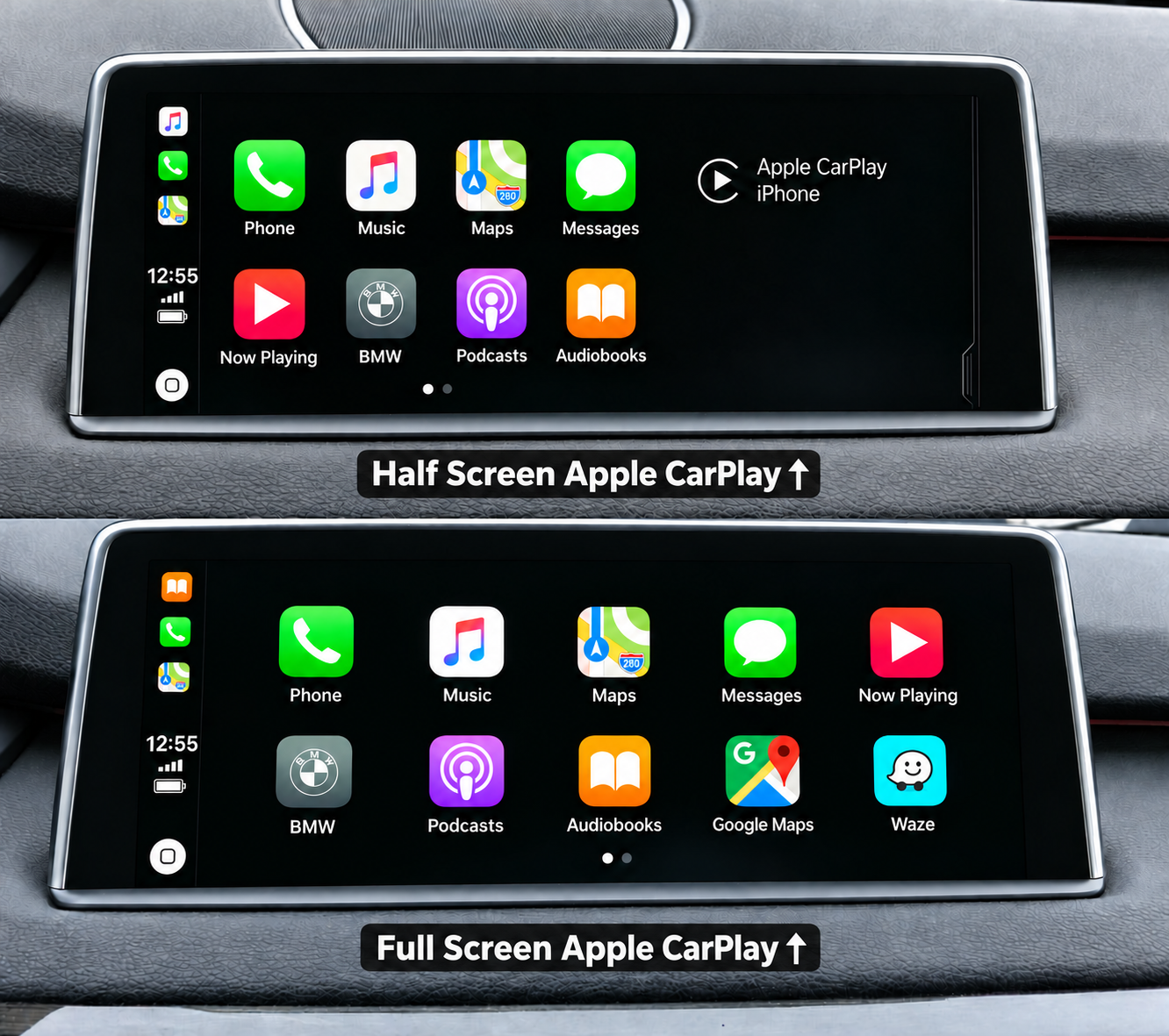
Check your NBTevo software
| Software | Split-screen | Full-screen |
|---|---|---|
| NBTevo_H | Supported | Update required |
| NBTevo_I | Supported | Update required |
| NBTevo_J | Supported | Update required |
| NBTevo_K | Supported | Update required |
| NBTevo_L | Supported | Update required |
| NBTevo_M | Supported | Update required |
| NBTevo_N | Supported | Supported |
| NBTevo_O | Supported | Supported |
| NBTevo_P | Supported | Supported |
| NBTevo_Q | Supported | Supported |
| NBTevo_R | Supported | Supported |
| NBTevo_S | Supported | Supported |
| NBTevo_T | Supported | Supported |
| NBTevo_U | Supported | Supported |
| NBTevo_V | Supported | Supported |
| NBTevo_W | Supported | Supported |
| NBTevo_X | Supported | Supported |
| NBTevo_Y | Supported | Supported |
Wi-Fi antenna requirement
Wireless CarPlay requires a Wi-Fi antenna, which most cars already have installed. If CarPlay is activated but your phone cannot connect, or only connects when held close to the screen, the antenna may be missing or need checking. If an antenna is needed, you can purchase and install it yourself, or we can arrange installation for local customers in the Portland and Vancouver areas.
Antenna purchasing and installation
Need a Wi-Fi antenna? We offer the antenna for $25 USD, or $60 USD with installation included for customers in the Portland and Vancouver areas. Get in touch to place an order or book installation.
From compatibility check to activation
- Check your BMWSend your year, model, VIN, and iDrive details. Have a screen photo ready to help identify your system.
- Confirm your quoteActivation is $150 USD and takes 30 minutes to an hour. Local and remote appointments are available, subject to compatibility.
- Arrange activationChoose an appointment and follow the preparation instructions provided for your vehicle.
OEM CarPlay questions
Does it fit my car?
These model ranges are a guide, not a guarantee of compatibility. This activation requires a compatible NBT EVO ID5/ID6 head unit and supported software; Professional Navigation and an 8.8- or 10.25-inch screen alone are not sufficient. Production dates, model years, markets, and installed equipment vary. We confirm your VIN and version-information screen before booking. NBT, NBT EVO ID4, and MGU/iDrive 7 or later are not covered by this NBT EVO ID5/ID6 activation service.
- July 2016–2019 BMW 1 Series (F20 / F21; ID5/ID6 required)
- 2017–2020 BMW 2 Series (F22 / F23)
- 2017–2019 BMW 3 Series (F30 / F31 / F34)
- 2017–2020 BMW 4 Series (F32 / F33 / F36)
- 2017–2019 BMW 5 Series (G30 with iDrive 6 and 10.25-inch screen)
- 2017–2019 BMW 6 Series (F06 / F12 / G32)
- July 2016–2019 BMW 7 Series (G11 / G12; ID5/ID6 required)
- 2017–2019 BMW X3 (F25 / G01)
- 2019–2020 production BMW X3M / X4M (F97 / F98; confirm model year and head unit)
- 2017–2019 BMW X4 (F26 / G02)
- 2017–2018 BMW X5 (F15 / F85)
- 2017–2018 BMW X6 (F16 / F86)
- 2017–2021 BMW M2 (F87; confirm production date and head unit)
- 2017–2020 BMW M3 / M4 (F80 / F82 / F83)
- 2018–2019 BMW M5 (F90)
- 2018–2021 BMW i3 and 2019–2020 BMW i8 (confirm head unit)
Every model listed requires a VIN and head-unit check; the year range alone does not confirm fitment. If your car has been retrofitted or its head unit replaced, mention this when you contact us. Send your year, model, VIN, and iDrive version photo before booking.
How does OEM activation differ from an aftermarket retrofit?
OEM activation uses your compatible factory system. A retrofit involves additional hardware. If factory activation is not suitable, explore aftermarket CarPlay or ask us about the available options.
What information do you need to check my car?
Send your year, model, VIN, and any known head-unit details. A clear photo of the iDrive screen helps us identify the system. We will explain any equipment or preparation needed before booking.
Can I get full-screen CarPlay?
The $150 USD activation includes split-screen or full-screen CarPlay, depending on your installed NBTevo software. We confirm your supported display mode before booking.
What if my BMW is not compatible?
We will explain the available alternatives before you book. An aftermarket retrofit may be an option; we will confirm the appropriate solution for your vehicle.
What do I need for remote activation?
Visit our BMW Remote Services page for equipment requirements, downloads, and setup instructions before your appointment.
Check CarPlay support for your BMW
Send your year, model, VIN, and iDrive details for a compatibility check and quote.